

Teachable is an online platform for creating and selling courses, coaching, and digital products on your own website.
There are dozens of course platforms, and the homepage pitch doesn't tell you much. You need to know what Teachable actually does, how it compares to the alternatives, and whether it fits how you plan to build your business.
In this post, you'll get a clear answer to what Teachable is, what you can build and sell on it, how the pricing works, and how it compares to other platforms.
Let's get started!
/ / / / / / / /
Teachable is an all-in-one platform for creating and selling online courses, coaching, and digital products. You host your school on your own branded website, keep full control over pricing and customer relationships, and handle payments, content delivery, and student management all in one place.
What is Teachable?
Teachable is an online platform that helps people create and sell digital products, like courses, coaching sessions, and digital downloads. It’s designed to be easy to use without technical skills.
With Teachable, you can build professional information products, reach a global audience, and make money from your knowledge.
People use Teachable because it handles the infrastructure, so you can focus on creating content and growing your business. You’re not listing on a marketplace alongside thousands of competitors - you own your school, your student list, and your brand.
How it Started
Teachable started out as a small project called Fedora in 2013.
At the time, creating and selling courses was fairly complicated and took a lot of technical skills. The Teachable team set out to give creators the ability to self-host content, rather than putting products on marketplaces like Udemy where they weren’t in control.
So they built a platform that made it easy for anyone to sell courses on their own site.
Now, Teachable has branched out and grown into a full-featured platform that supports various types of digital products, from courses to communities.
Why Teachable is Different
To explain what Teachable is, it’s easiest to compare it to other types of online learning platforms. There are a few key differences compared to its main competitors.
Teachable vs Course Marketplaces
With marketplace sites like Udemy, Coursera, and Skillshare, course creators offer their products on a shared platform. The benefits of these sites is they provide exposure, but it also means you’re competing with thousands of other courses on the same page.
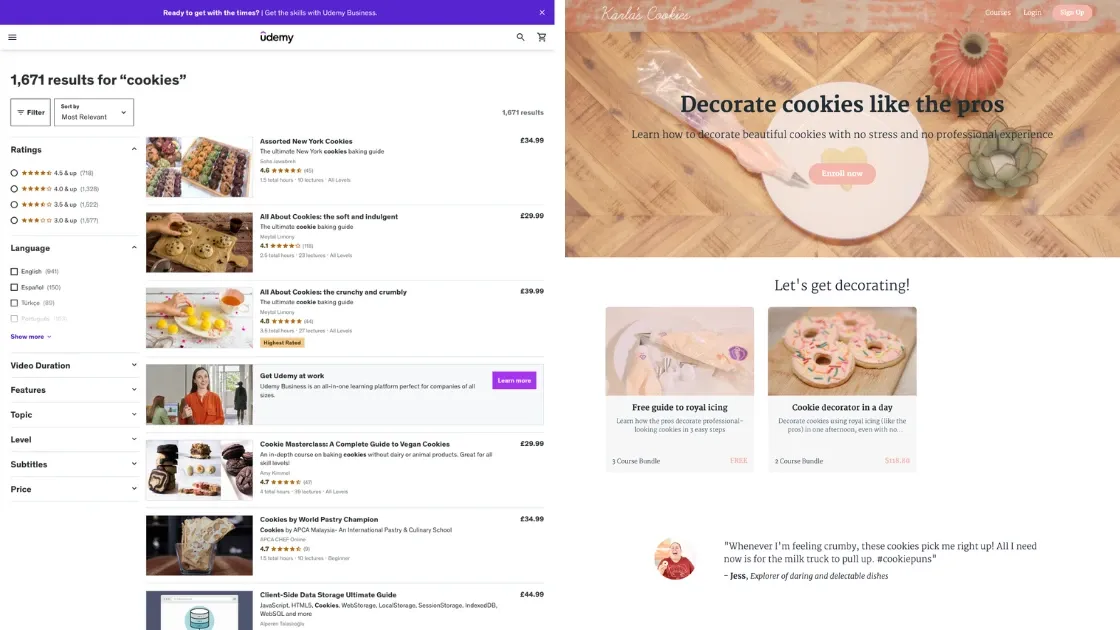
With Teachable, you host your own products on a dedicated website. That gives you complete control over your branding, pricing and customer relationships. It also makes you look more professional and helps you build a direct connection with your audience.
Teachable vs LMS Plugins
Plugins like LearnDash and Tutor LMS are designed to integrate with WordPress, giving you the flexibility to build courses directly on your website. However, they require a good deal of technical knowledge to set up and manage.
Teachable is different because it’s an all-in-one platform. You don’t need to worry about hosting, security, or technical maintenance like you would with other learning management systems. Everything is handled for you, so you can focus on creating and selling your content.
Teachable vs Paid Fanbases
Platforms like Patreon are great for offering recurring memberships and exclusive content to your fans. Usually fans subscribe to get special content, but these platforms don’t work as well if you want to offer standalone products like courses or coaching programs.
With Teachable, you can offer similar membership content, plus standalone products. That flexibility means you can diversify your income streams and cater to different types of customers.
What You Can Sell
Teachable isn’t just for courses. You can sell a variety of digital products, meaning you can diversify your business and have multiple income streams.
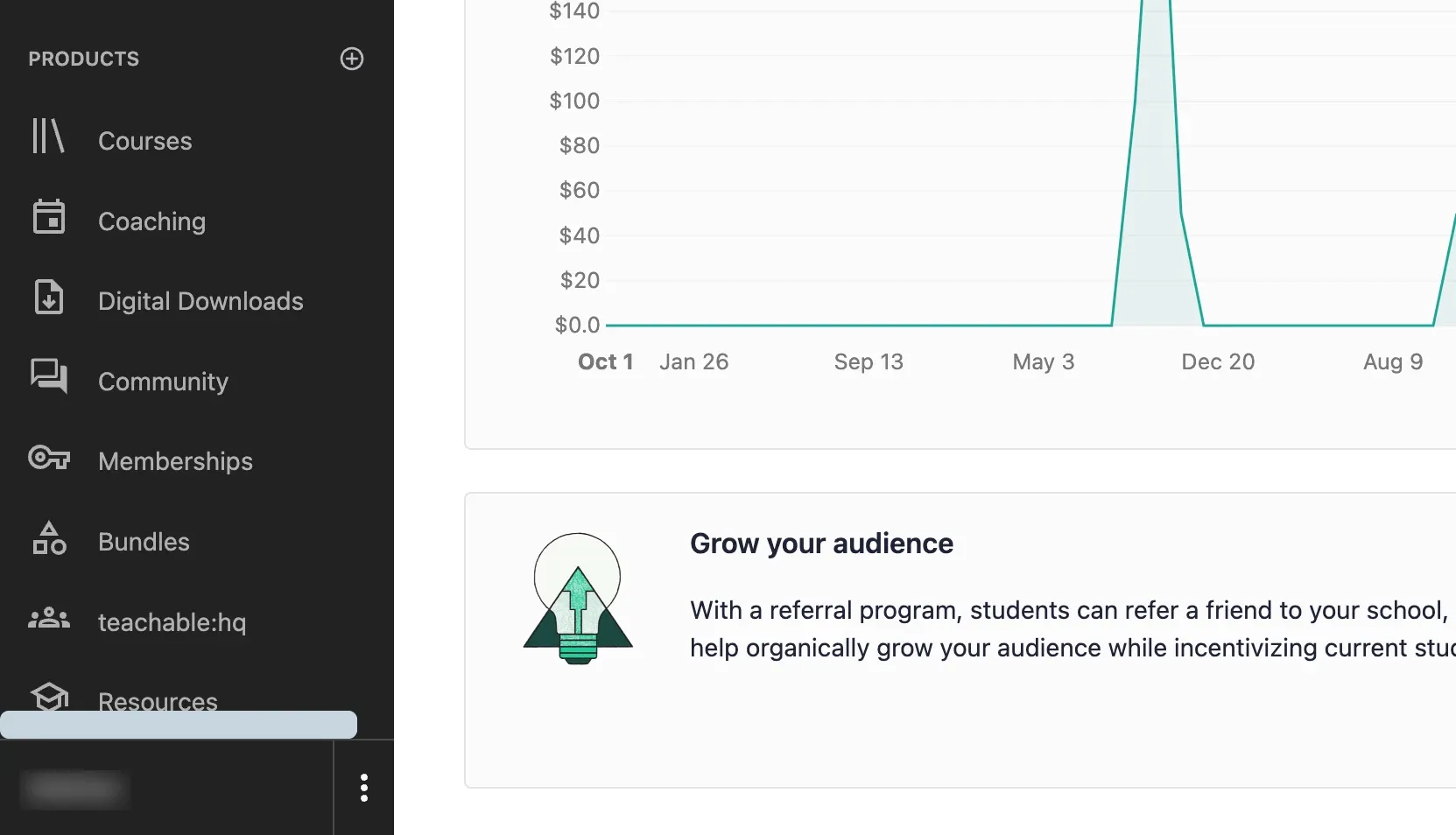
- Courses - Create and sell comprehensive online courses. Include content like videos, PDFs and quizzes to engage your students and improve their learning experience.
- Coaching - Offer one-on-one or group coaching sessions. Teachable makes it easy to schedule sessions and manage your coaching business, letting you provide personalized guidance and support for students.
- Downloads - Sell digital downloads like eBooks, templates, and guides. These products are great for providing valuable resources to your audience and generating extra income.
- Community - Create a community around your content. You can offer access to exclusive spaces where members can interact, share insights, and support each other as part of your offering.
- Memberships - Offer subscription-based memberships that provide ongoing access to your content, organized under multiple tiers/options. Memberships are a great way to build a loyal customer base and generate recurring revenue.
- Bundles - Combine multiple products into bundles to offer more value to your customers. Bundles can include courses, coaching sessions, and digital downloads, all packaged together as one product.
How to Monetize Your Knowledge
Teachable offers such a variety of product types that it can be hard to know where to start. Here are the main ways Teachable creators monetize their expertise.
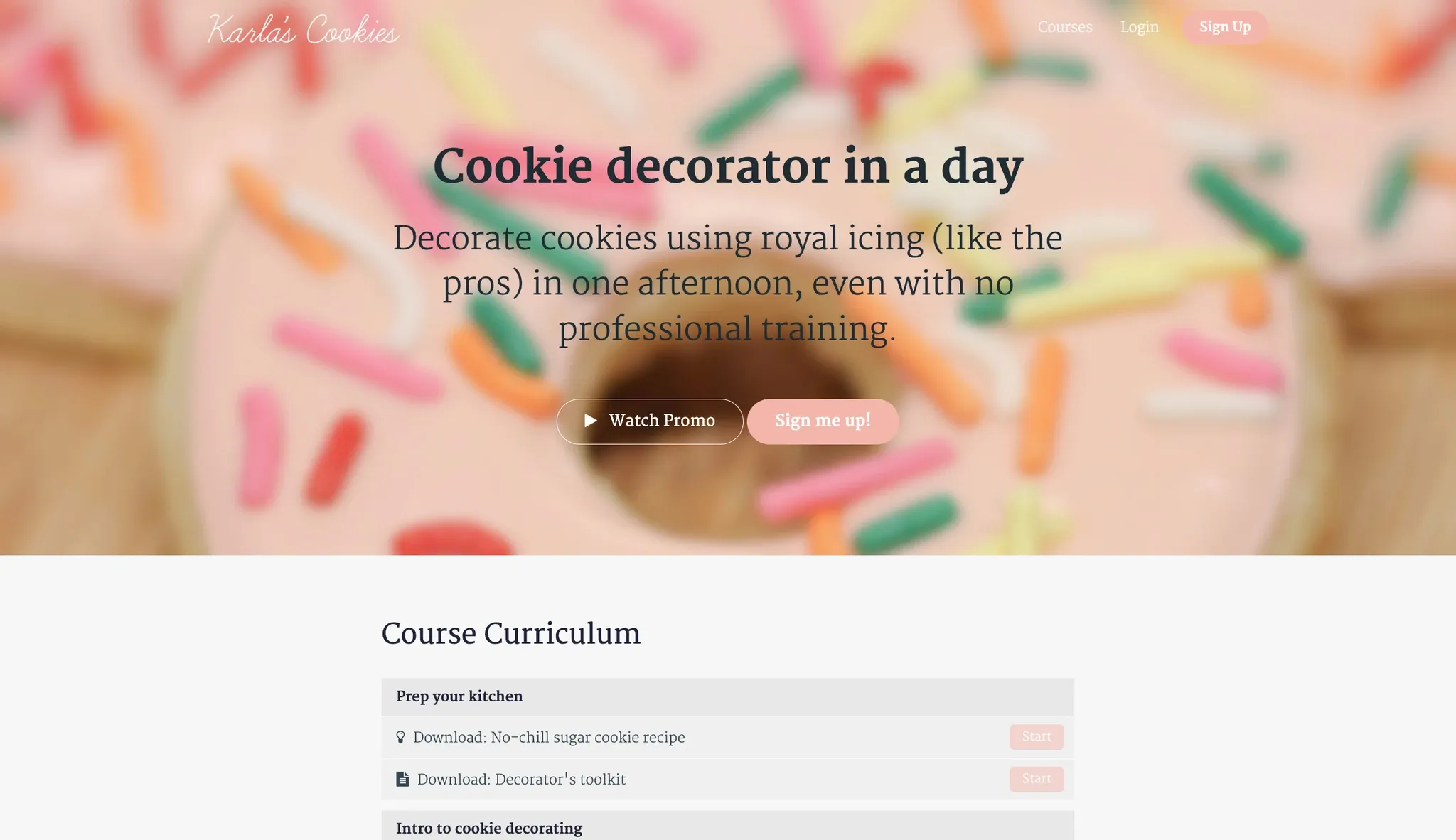
Strategy #1: Teach people with a course
Creating an online course is one of the simplest ways to share your knowledge and earn money. You’d create a curriculum focused on helping your audience achieve one main outcome, then sell access to students.
Strategy #2: Offer 1-on-1 coaching sessions
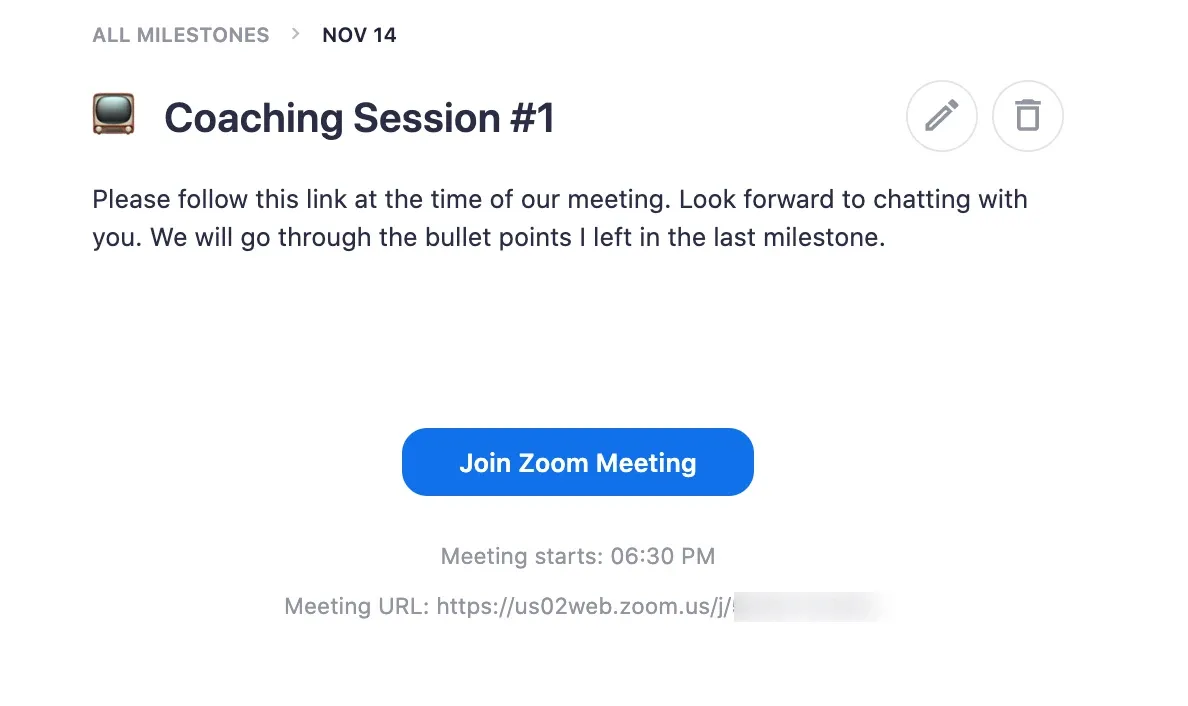
You can connect Teachable with a scheduler like Calendly to offer private coaching sessions as a service. This is a great option if you have expertise that requires more hands-on guidance. You can set your rates and schedule sessions from inside Teachable.
Strategy #3: Offer group coaching
If you have a larger audience that needs your help, you might consider offering group coaching sessions. These sessions allow you to work with multiple clients at once, providing guidance on a group video call. People would pay a recurring fee to keep accessing the sessions.
Strategy #4: Create a VIP membership
Heard of Patreon? You can create a similar VIP membership on Teachable. This would allow you to offer exclusive content like behind-the-scenes videos, early access to new courses, and live Q&A sessions. Members would pay a monthly fee for access, giving you a steady stream of recurring revenue.
Strategy #5: Sell a high-ticket program
If you have high-value expertise to share, consider creating a high-ticket program. These programs often combine elements like courses, coaching and exclusive community areas. You might frame this as a bootcamp, charging a premium price for access.
Strategy #6: Create a mastermind group
A mastermind group is a small group that meets regularly to support each other and work towards a common goal. You can sell a mastermind subscription on Teachable, then arrange regular sessions with members via Zoom or in person.
How to Promote Teachable Products
Once you’ve created your digital products on Teachable, the next step is to promote them. Here are some strategies to help you reach a wider audience once you’ve launched.
Build a Professional Website on Teachable
Teachable isn’t just a course platform - it also lets you build a professional website. You can create a home page, sales pages, and more, all inside Teachable.
When the time comes, you can find lots of great site-design resources on their blog:
- How to Set Up Your Teachable School
- Build a Beautiful Online Course Homepage
- Best Online Course Sales Page Examples
A well-designed website makes a strong first impression and helps convert visitors into customers. Once your site is set up, you’re ready to share the link anywhere you have an online presence.
Share Your School With Your Audience
If you already have a social media following, make sure to add your Teachable school links to your bio or LinkTree. This is a great way to start generating traffic and interest in your offerings. By including a link in your bio, you make it easy for your followers to find and enroll in your courses or coaching sessions.
Create an Affiliate Program
Teachable has a built-in affiliate feature, which is a great way to expand your reach. An affiliate program means that others can promote your courses for you, in exchange for a commission on sales. This is a powerful way to grow your business, especially if your audience includes other creators who can spread the word to their own followers.
Examples of Teachable Websites
Here are some examples of established Teachable websites:
- AI Crash Course - A course on how to create an online course using Teachable’s AI tools, featuring video lessons, quizzes, and practical exercises.
- Becoming the Brand - A branding course that helps entrepreneurs build and promote their personal brands.
- Kaye Putnam - A psychology-driven brand strategist offering courses and coaching on brand building and marketing.
- StackSkills - A platform offering a wide range of courses on technology, business, and personal development.
- Personal Branding with Video - A course that teaches how to create compelling video content to build a personal brand.
These examples show the flexibility of Teachable and how it can be used to create a variety of digital products and courses. Each of these sites has a unique layout and design, which is possible thanks to Teachable’s site-building tools.
You can also find a lot more Teachable examples on our dedicated directory.
Key Features
Teachable offers a variety of features that make it a powerful platform for creating and selling digital products. Here are some of the key features that set Teachable apart:
- Site Builder - Teachable includes a full site builder that lets you create a professional-looking website without any coding skills. Customize your site’s design, layout, and branding to match your own style.
- AI Content Generators - Teachable’s AI tools help you create content more efficiently. Use AI to generate course outlines, video scripts, quizzes, and more, saving you time and effort.
- Payment Processing - Teachable handles all payment processing, allowing you to accept payments from students around the world with low fees. Payments are processed securely, and you can set your pricing in multiple currencies.
- Affiliate Marketing - Teachable’s built-in affiliate marketing tools let you create an affiliate program to help promote your courses. Track affiliate sales and pay commissions easily, expanding your reach through word-of-mouth marketing.
- Student Rewards - Engage and motivate your students with rewards and incentives. Teachable allows you to offer certificates of completion, badges, and other rewards to recognize students’ achievements.
- Certificates - Create and issue automatic certificates to students who complete your courses. Certificates can be branded with your logo and designed to match your course’s theme.
- Compliance - Teachable ensures your site is compliant with global regulations, including GDPR. They provide default terms of use and privacy policy templates that you can customize. This means you can focus on your content, knowing that your site meets all necessary legal requirements.
- Upsell Funnels - Increase your revenue by offering upsells and cross-sells to your students. Teachable’s upsell funnels make it easy to promote additional products or services at the right time.
- Quizzes - Enhance your courses with quizzes to test your students’ knowledge and reinforce learning. Quizzes can be customized with multiple question types and integrated seamlessly into your course content.
- Drip Content - Deliver your course content over time with Teachable’s drip content feature. Schedule the release of lessons and modules to keep students engaged and ensure a structured learning experience.
These are just some of the features Teachable offers. There are so many more tools and options to explore. You can check them all out when you create a free account.
Costs of Teachable
Teachable offers several pricing plans to fit different needs and budgets. Here’s an overview of the available plans.
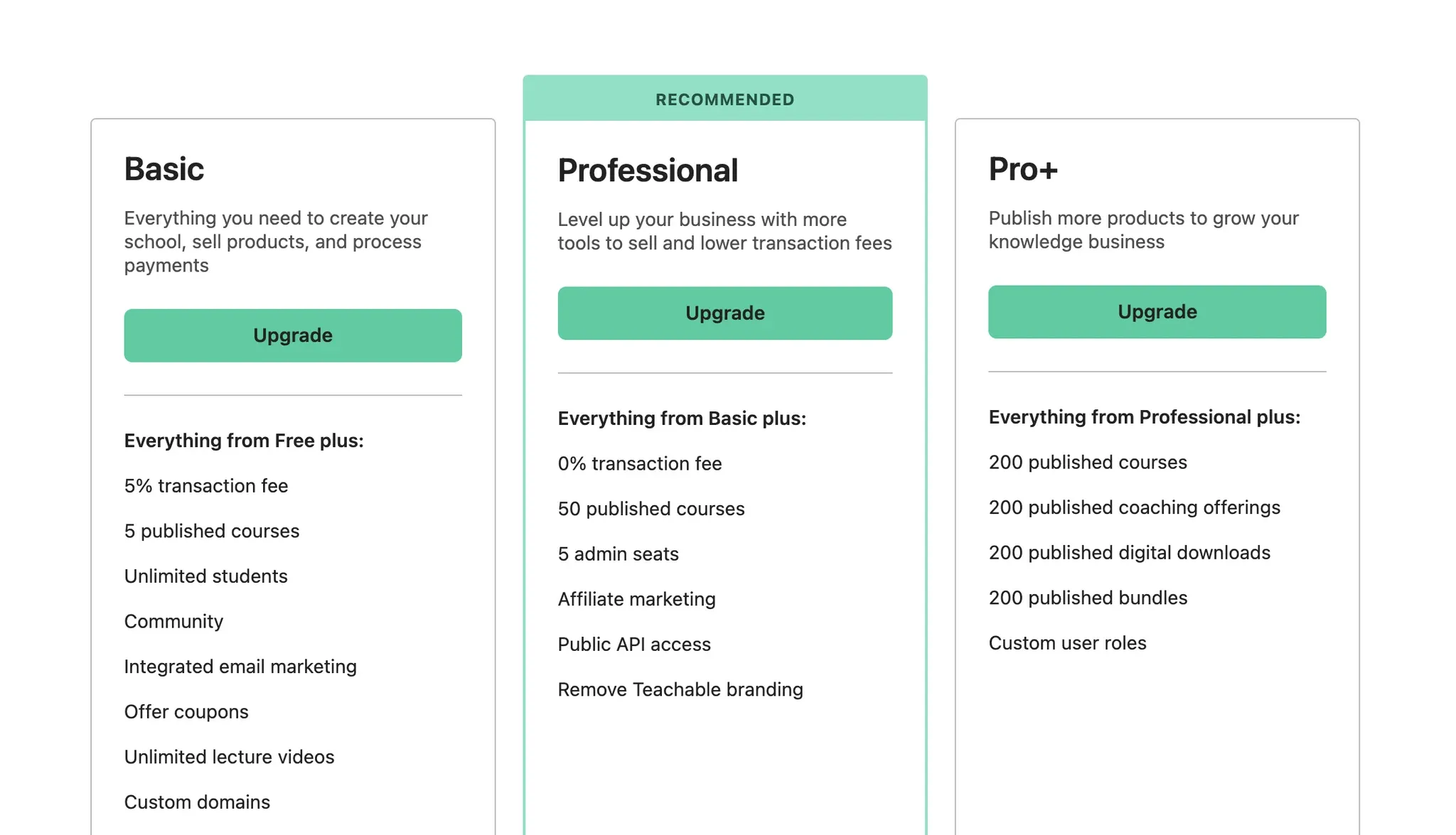
- Free Plan - Perfect for beginners who want to test the platform. Includes basic features like course creation, up to 10 students, and basic quizzes. Note there is a transaction fee for each sale.
- Basic Plan - Includes all Free plan features, plus lower transaction fees, no student limits, custom domain, drip content and more. Explore the Basic plan ->
- Pro Plan - Offers more features and support to help you scale, with no transaction fees. Includes all Basic plan features plus advanced reports, certificates, course compliance, and an affiliate program. Explore the Pro plan ->
- Pro+ Plan - Ideal for when you need more products or custom user roles, but you don’t need the full Business plan upgrade. Explore the Pro+ plan ->
- Business Plan - Designed for enterprise-level users. Includes all Pro+ plan features plus unlimited admin seats, bulk student enrollment, and advanced theme customisations. Explore the Business plan ->
If you need help figuring out which plan you need, check out our detailed comparison of all Teachable pricing plans in 2026. We’ve also included a free quiz to help!
/ / / / / / / /
Additional Resources
-
Upgrade to a paid Teachable plan [10% off]
You'll need to upgrade to at least a Basic Teachable plan to use the features mentioned in this post. Use the link above for 10% off if you're a new customer. - 100 Profitable Digital Product Ideas (Abagail Pumphrey)
Guide
This is a free guide that walks you through how to find a profitable digital product idea, written by an expert creators whose digital products have made millions. - Identify Your Audience (Teachable)
Worksheet
Techniques for identifying and understanding your target audience so you can create products that resonate and convert. - Build a Mini Online Course (Teachable)
Checklist
Use this checklist to make sure you have everything you need to create a mini course that attracts and engages students. - 6 Steps to Create Your Own Course Curriculum (Teachable)
Guide
This is an interactive guide that walks you through the foundational steps of planning your first online course curriculum. - The Online Course Creators To-Do List (Teachable)
Checklist
A handy checklist to keep you on track with your course creation process, regardless of what stage you're at with your course planning or creation.
/ / / / / / / /
Conclusion
Teachable is the platform most course creators land on when they want full control over their school without needing a developer. If you're ready to explore it, the free plan lets you test everything before committing.
Need help setting up your Teachable school?
Contact our team →
Looking for a Teachable coupon code?
Check out these discounts →


![How to Change Teachable's Language on Your School [Step-by-Step Guide]](/_image?href=%2F_astro%2Fteachable-language.jpsf_Z-9.webp&f=webp)


